
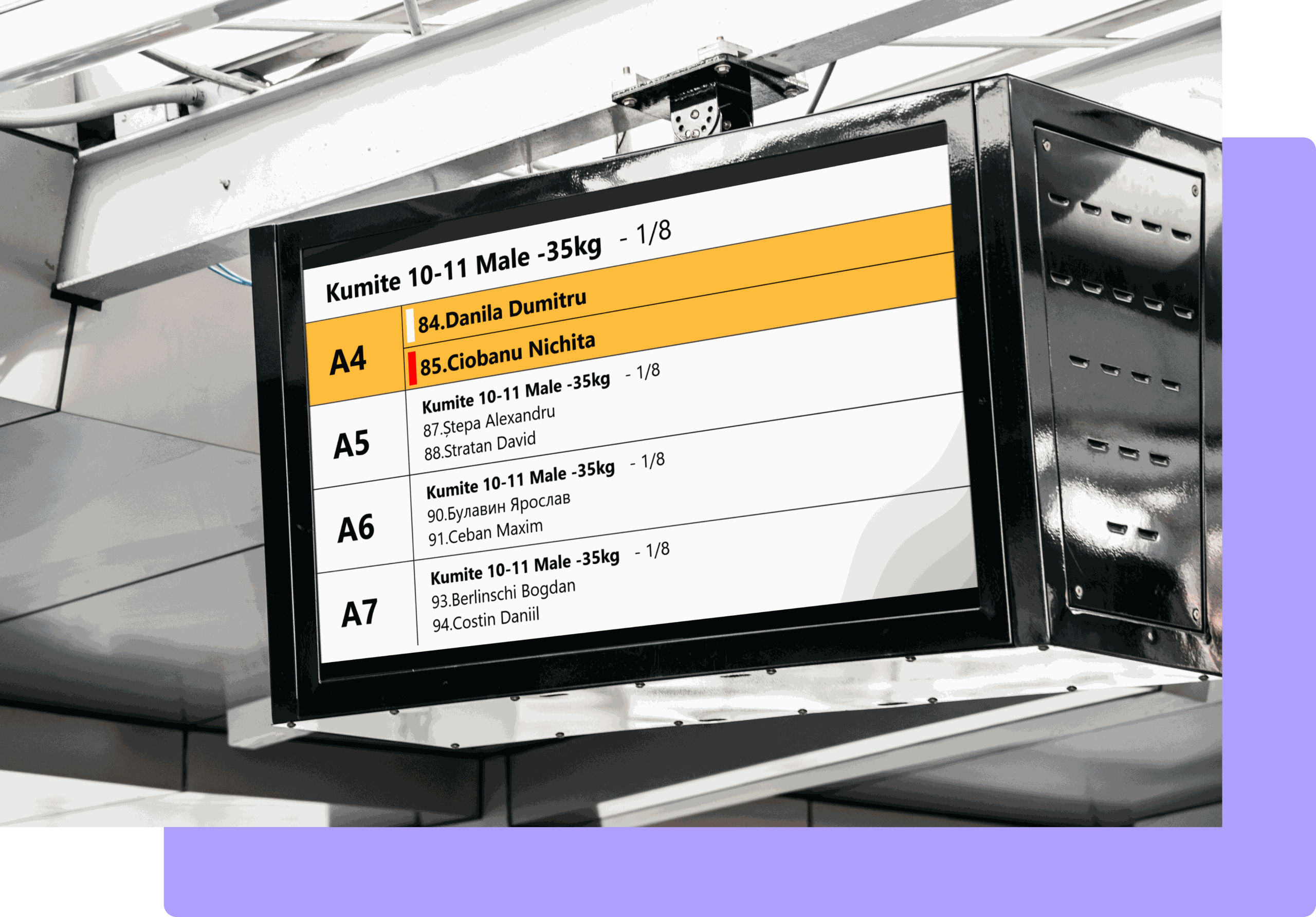
“The Information Board” is a software-and-hardware complex designed for the visualization of sports information.
At present the system supports two types of hardware platforms:
The “Information Board” system outputs information through the HDMI port to a television or a video wall. In the general case, to any device that supports an HDMI-type video input.
The “Information Board” displays sports information for Kyokushin karate competitions and supports the following sporting categories:
The “Information Board” system provides sports data for the visualization of the following information:
Information intended for a live video broadcast as a “lower-third” overlay applied on top of the video image on YouTube (RuTube and other video services)
A list of the athletes in order and time of appearance on the tatami/mat (“who is preparing”)
Information about the current bout/performance with a description of the details of the competition (“who is on the tatami right now”)
Information about the winners with the distribution by prize places. It can also be used to display information about the winners during the award ceremony on the podium. (“who is on the podium”)
Information about the leaders based on the performance results. Usually used for the “Kata” and “Kata-Group” categories to display how the leaders change in online mode.
For the information board to work you will need a television (or a computer monitor) with an HDMI input. Or any other video device that supports receiving information over HDMI.
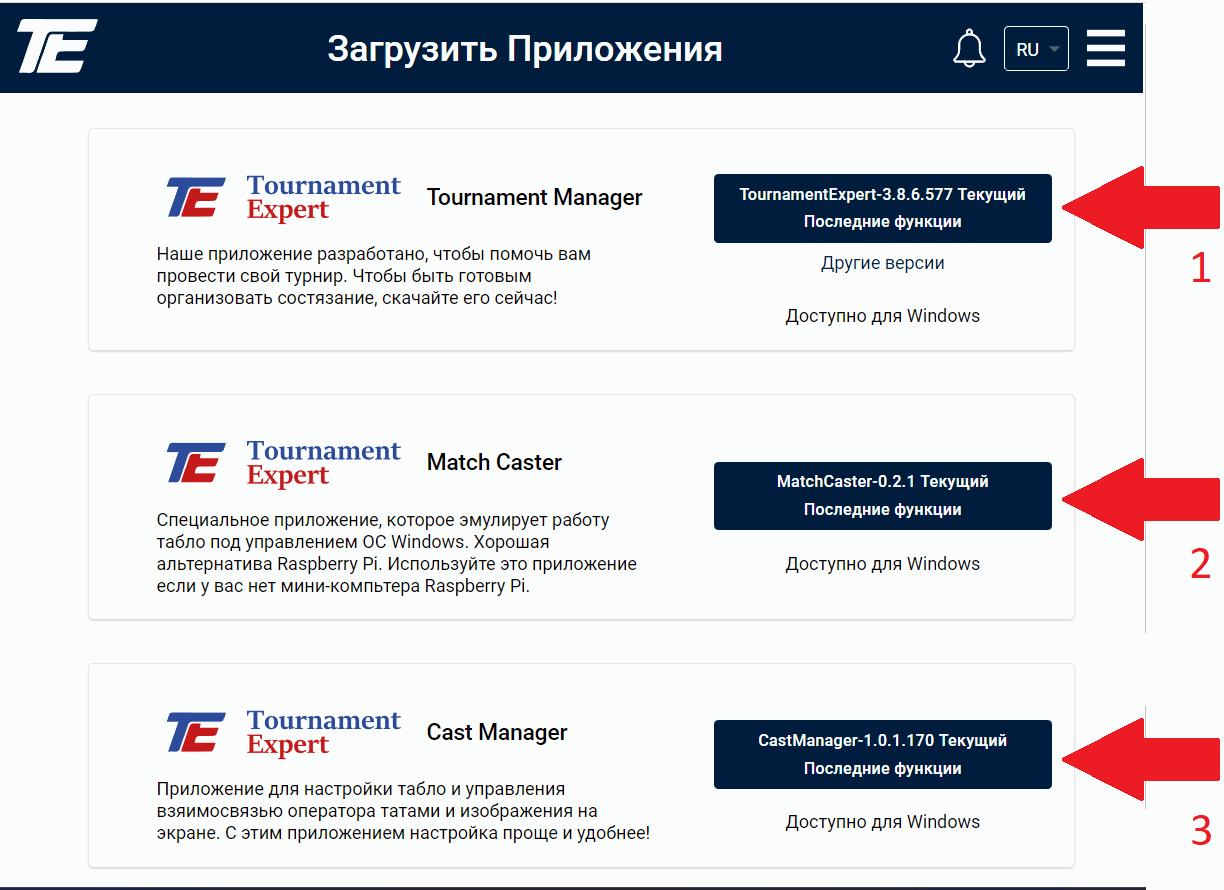
To set up the information board you will need to download and install three applications from the website on the computer:
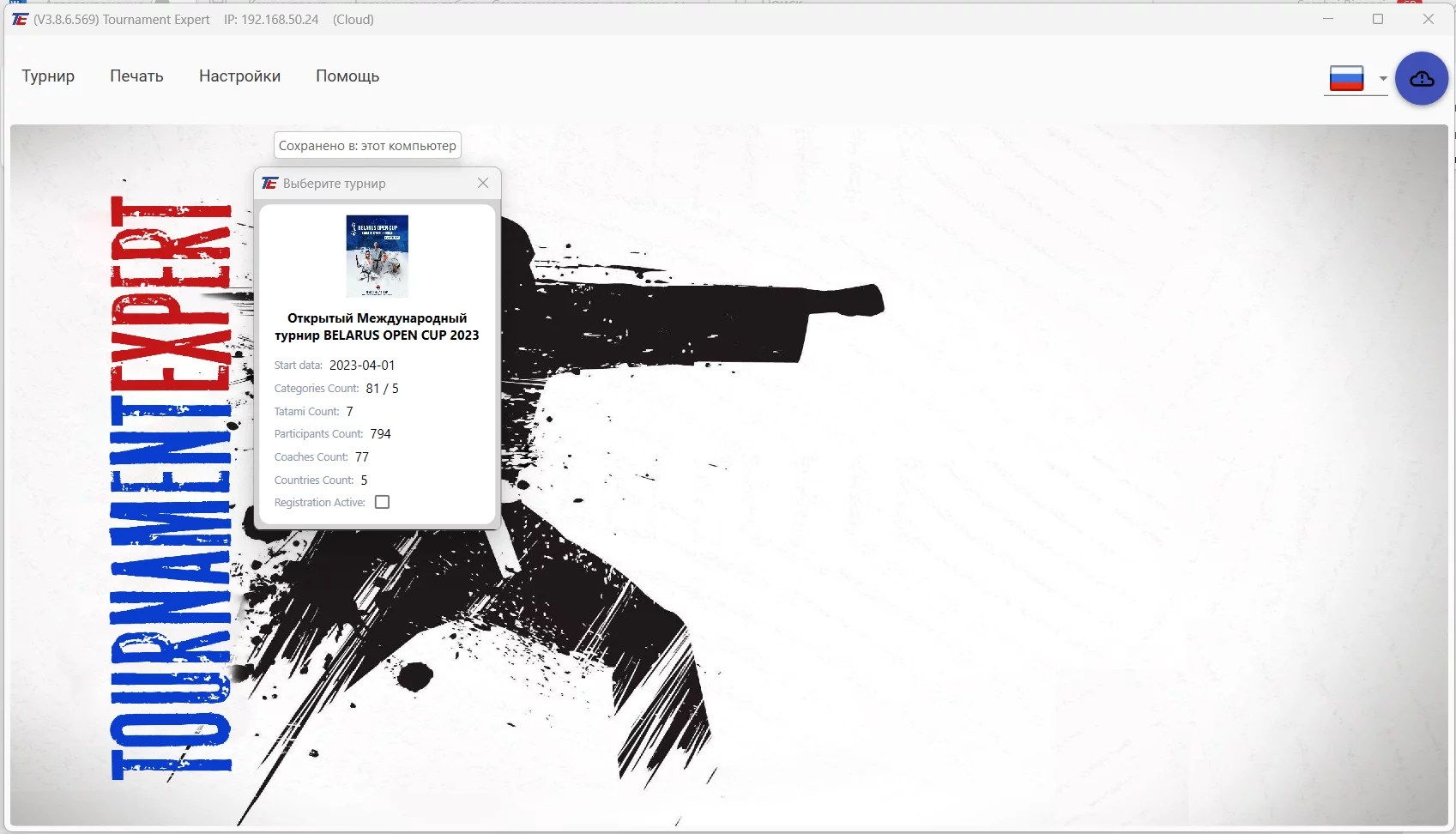
Install the Tournament Expert Studio (Tournament Manager) application on each computer of the Tatami Operator/Secretary. Launch the application, log into the system and select the tournament.
Select the one tatami on which the Operator/Secretary will be working.
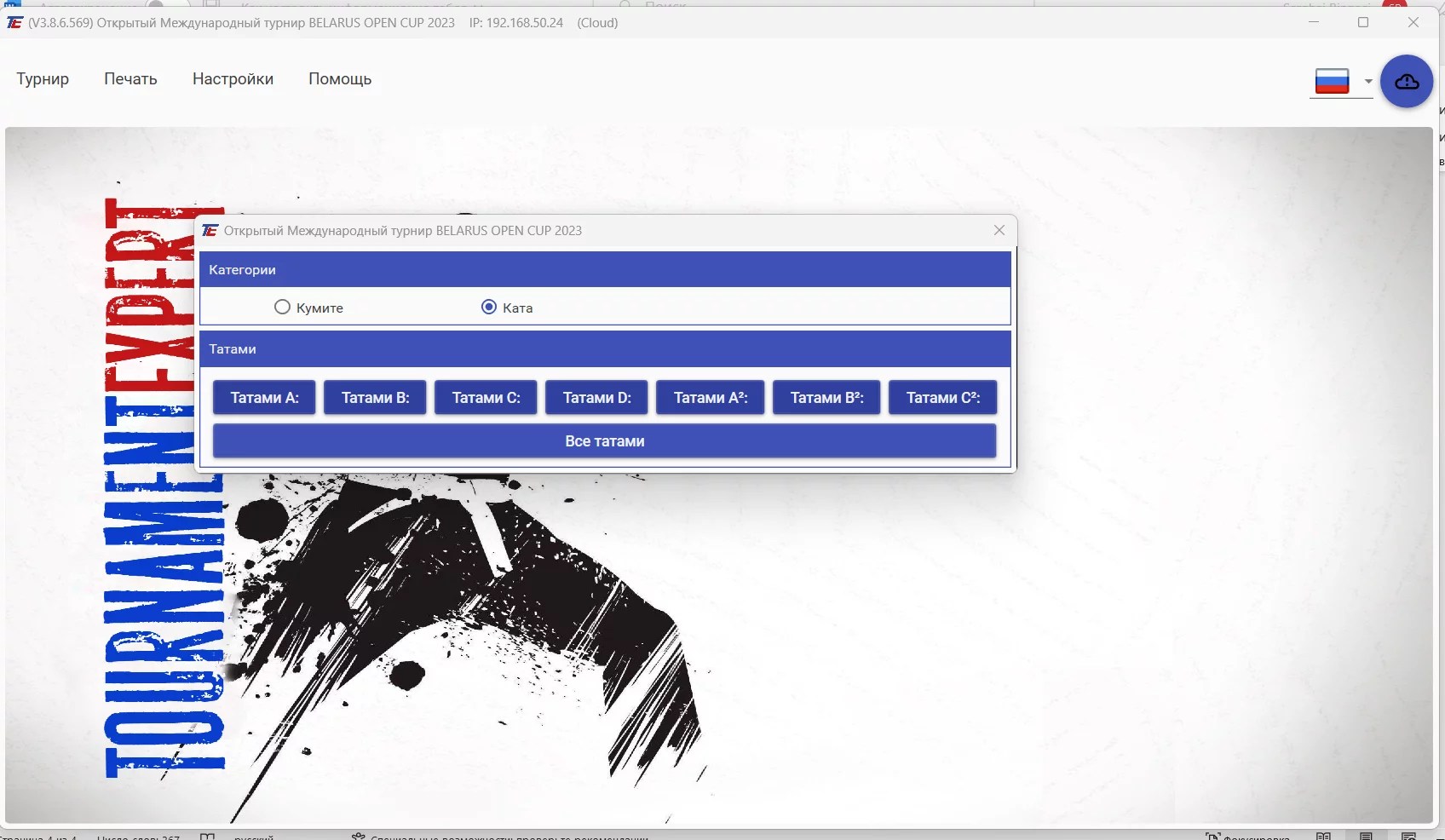
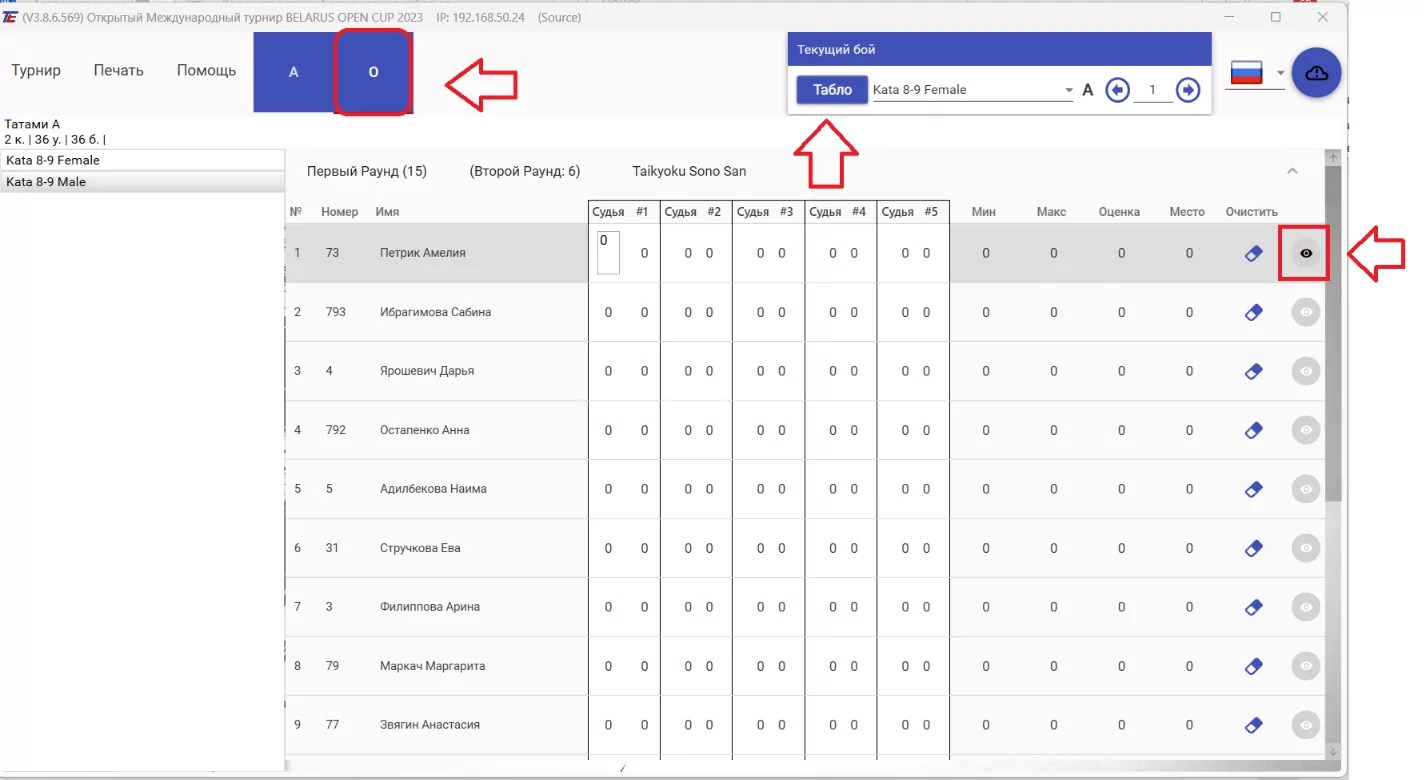
Switch to Operator mode. Click on the “Eye” and the “Board” button. A browser will open automatically with several tabs, on which the information from the current tatami will be displayed for subsequent display on the board.
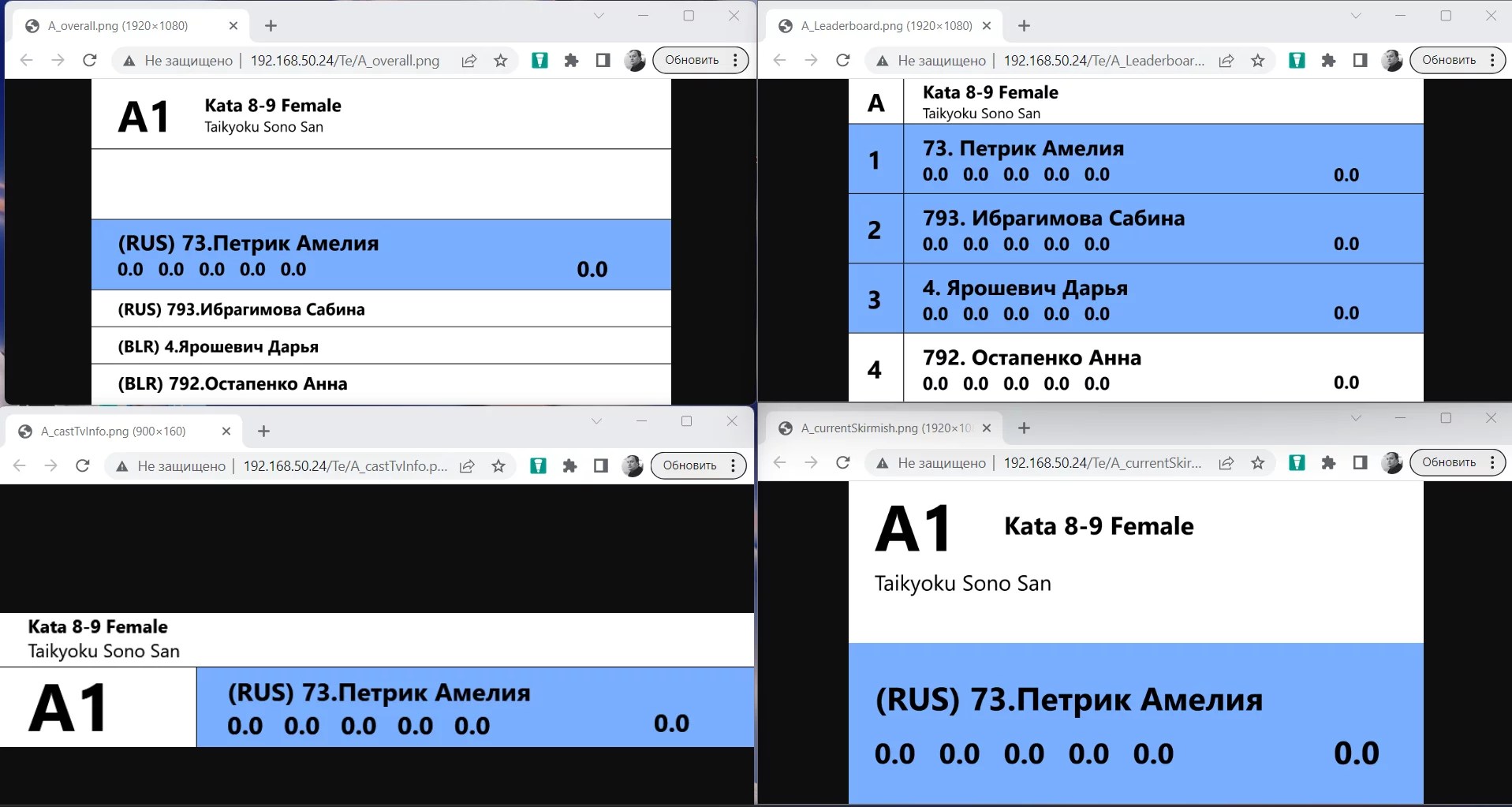
The browser will display all the available types of boards for the current tatami
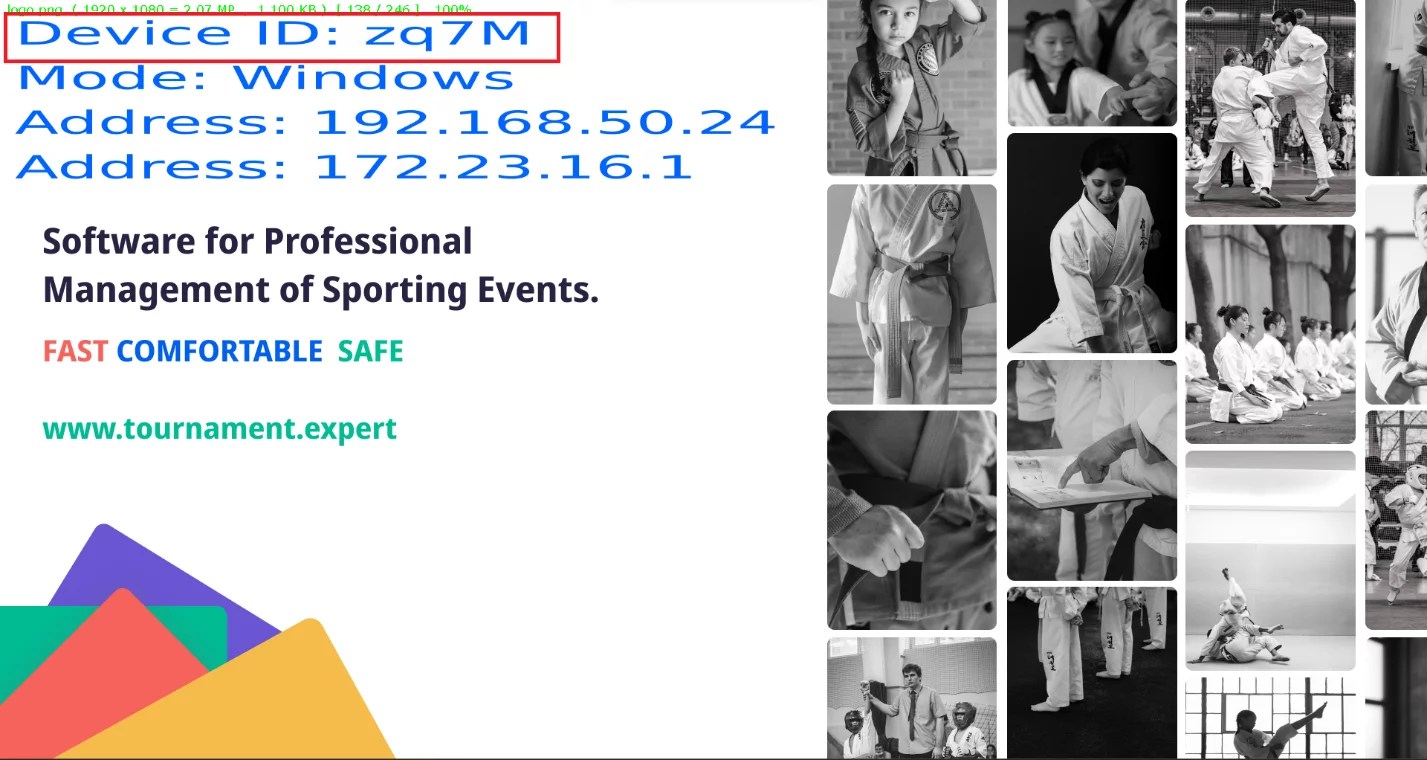
Install the Match Caster application on each computer with which you want to set up a board. Connect the computer to the television or the video wall with an HDMI cable. You need to remember (it is better to write it down) the unique number of the board, consisting of 4 characters. In the example the unique number of the board is: zq7M
Let us assume that this board is installed in the warm-up hall and its number is zq7M
Install the Cast Manager application — for configuring the board — on any computer and launch the application. Using this application you need to “link” the tatami and the board together.
The upper part displays all the available tatami, and the lower part displays all the available boards.
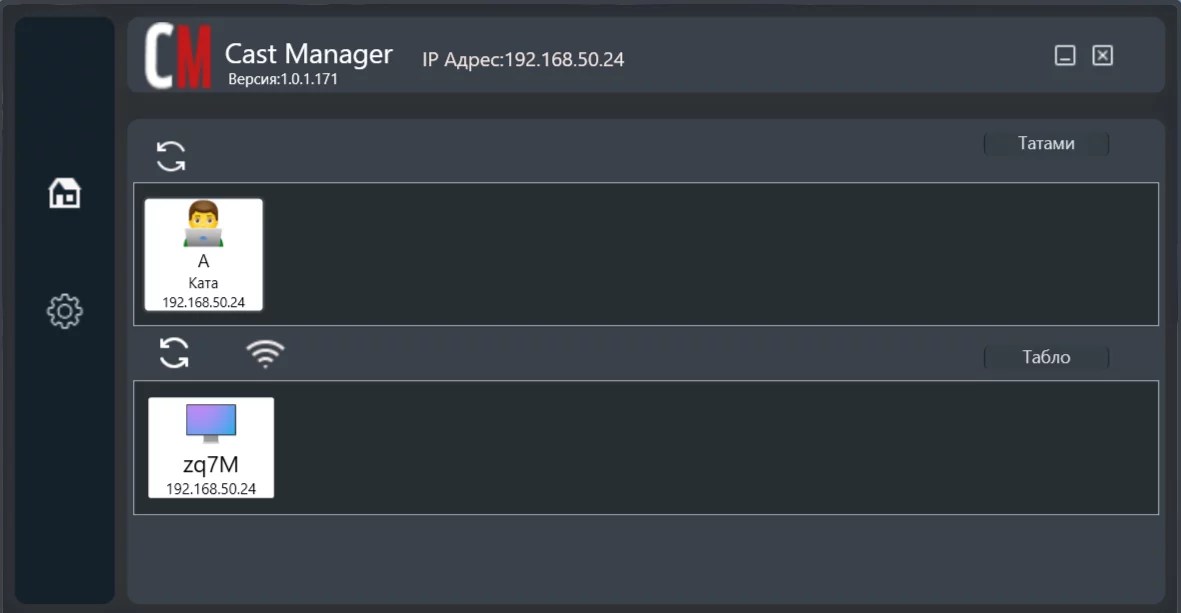
You need to select the TATAMI whose information you want to broadcast on the board. In this case — Tatami A. After selecting the tatami, the lower part will display all the available images for broadcasting on the information board.
Suppose you want to show the “Queue” image (who is preparing) from tatami A for broadcasting on the board in the warm-up hall. You need to select the “Queue” image from the lower part (just click on the image with the mouse)
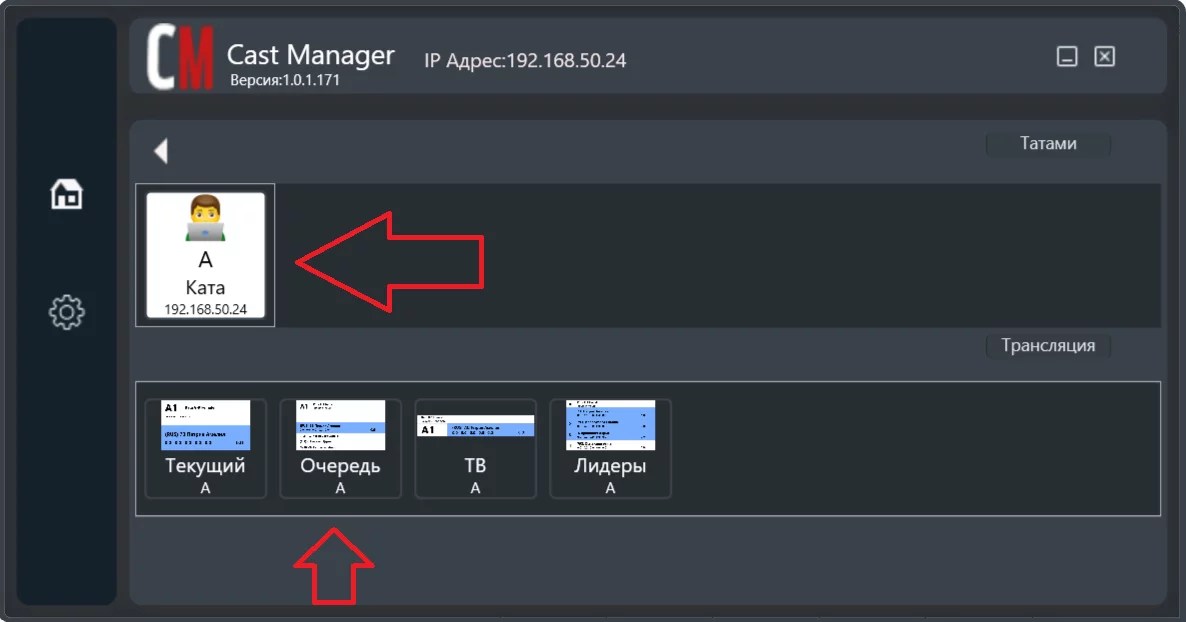
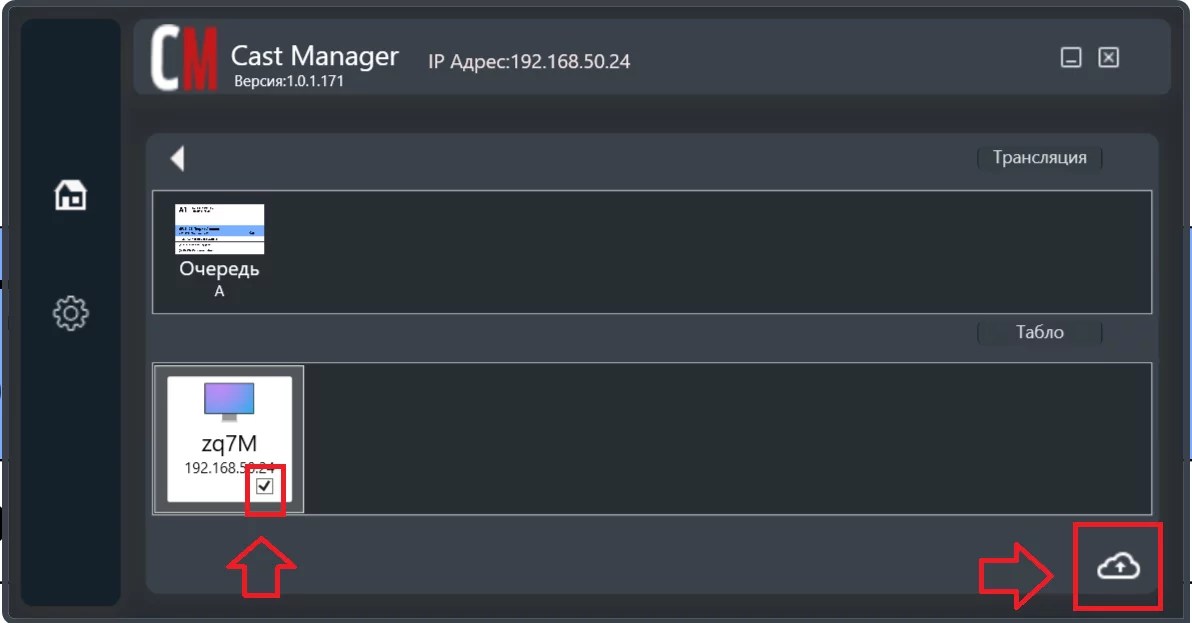
The selected “Queue of tatami A” image will appear in the upper part in the “Broadcasts” section, and in the lower part in the boards section all the boards available to you will be displayed in order to “link” the image and the board. In the previous step we wrote down the number of the board in the warm-up hall, zq7M. Select it and press the save button in the lower right corner of the screen.
The link between the board and the tatami has been established!
.svg)