

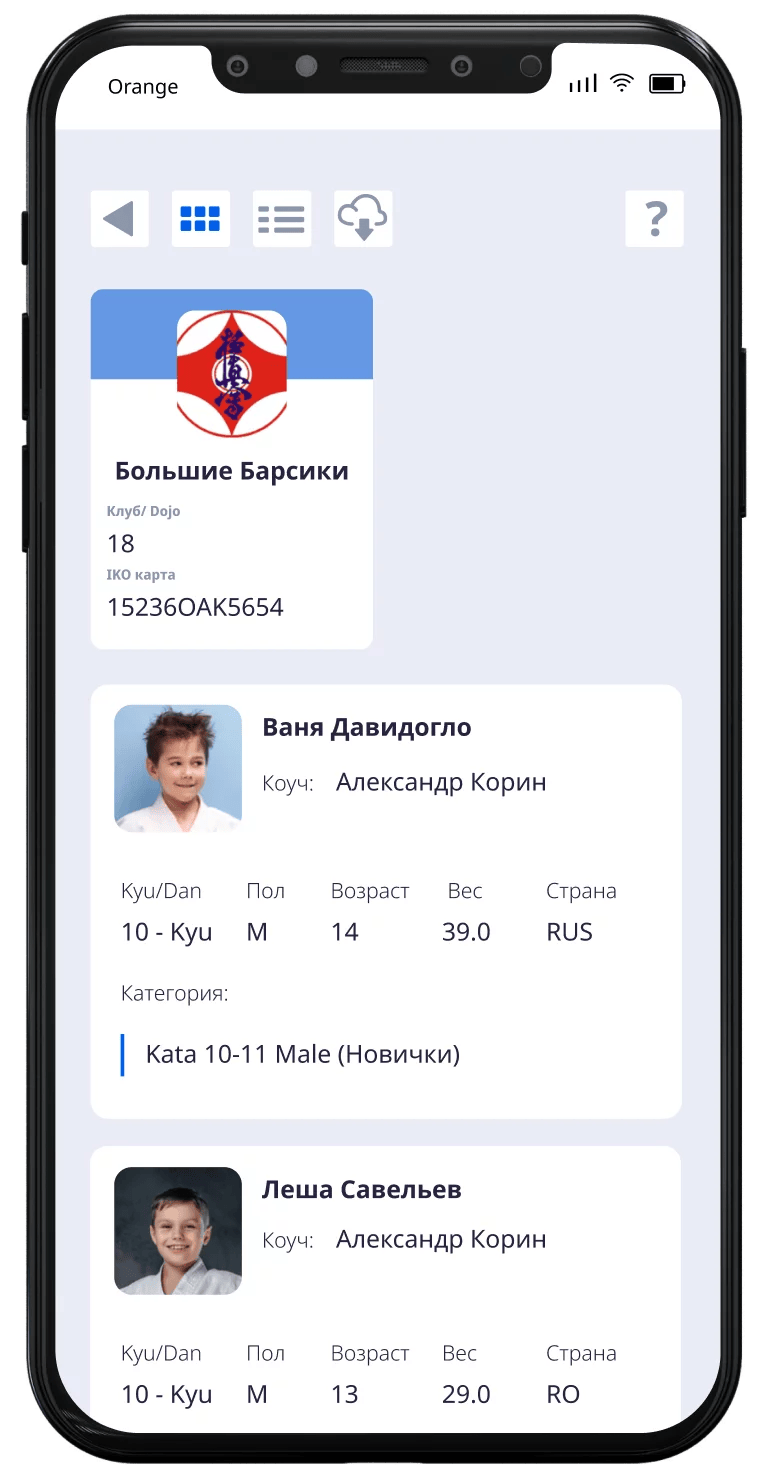
To register athletes for the tournament you need to register on the online service and record your participants. You need to use the following internet link that the organizer provided to you.
The registration link is provided by the tournament organizer.
For example: what the link looks like:
https://app.tournament.expert/
register_to_tournament/XXXXXXXX
For your convenience you can change the system language by pressing the “language selection” button
After you have entered the participants and registered them for the Tournament, your list will be stored, and you will be able to make changes until the moment registration closes.
Save your registration email and password, for logging back into the system.
If you are using the registration service for the first time, then you need to create your own account in the system.
To create an account, click the “SignUp/Registration” button on the first login page. 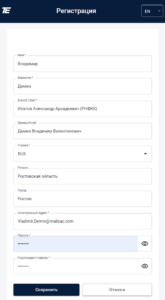
You need to enter:
Click the “Save” button.
If you created an account in the system (or you already have an account), then you should log into the system by specifying your details.
After logging in you will be able to create a list of athletes to participate in the tournament or change it.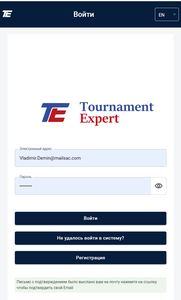
To log into the system you need:
Click the “Log in” button
If you don’t have an account, then you need to create one. Click the “Registration” button
If you forgot your password, then you need to press the “Lost your password” button. Enter the email address that you used when registering. Then you will be sent an email to reset your password.
To add a new athlete to the tournament you need to use the input panel with the heading “Add Athlete”
You need to enter the following data about the participant: 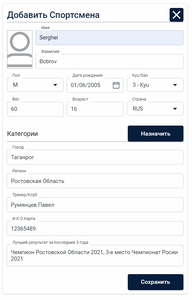
Click the “Save” button.
Pressing the “cross” button  will clear the entered data.
To add a photo of the athlete, click on “Logo”.
To participate in the tournament, the athlete must be assigned the categories in which they will compete against opponents. You can assign several categories to one athlete. Such categories can be:
A category is assigned in accordance with the age, gender, and weight of the participant.
To assign several categories at once, use the “plus” button
“Automatic selection”  helps you to select the appropriate category for the athlete in accordance with their gender, age, and weight.
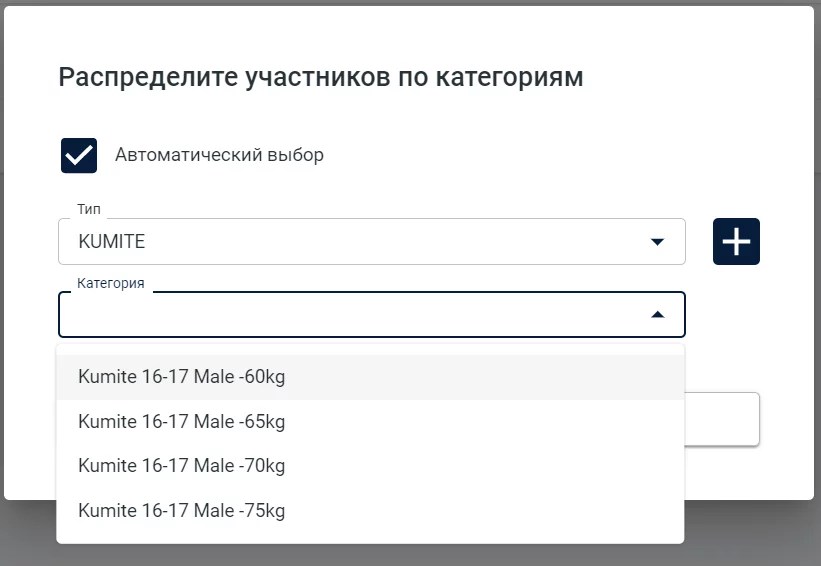
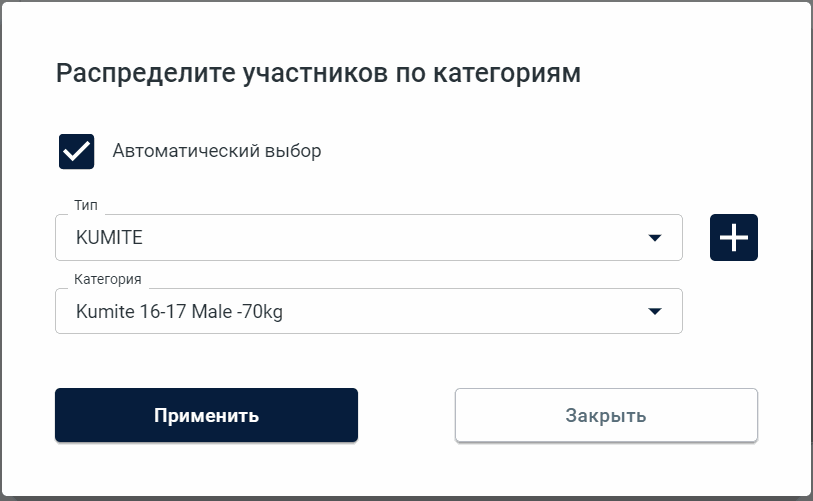
Click the “Apply” button to save the information.
If the participant has NOT been assigned categories for participation in the tournament, then the participant will not appear in the (the “brackets”) — the tournament table, and they will not be assigned opponents.
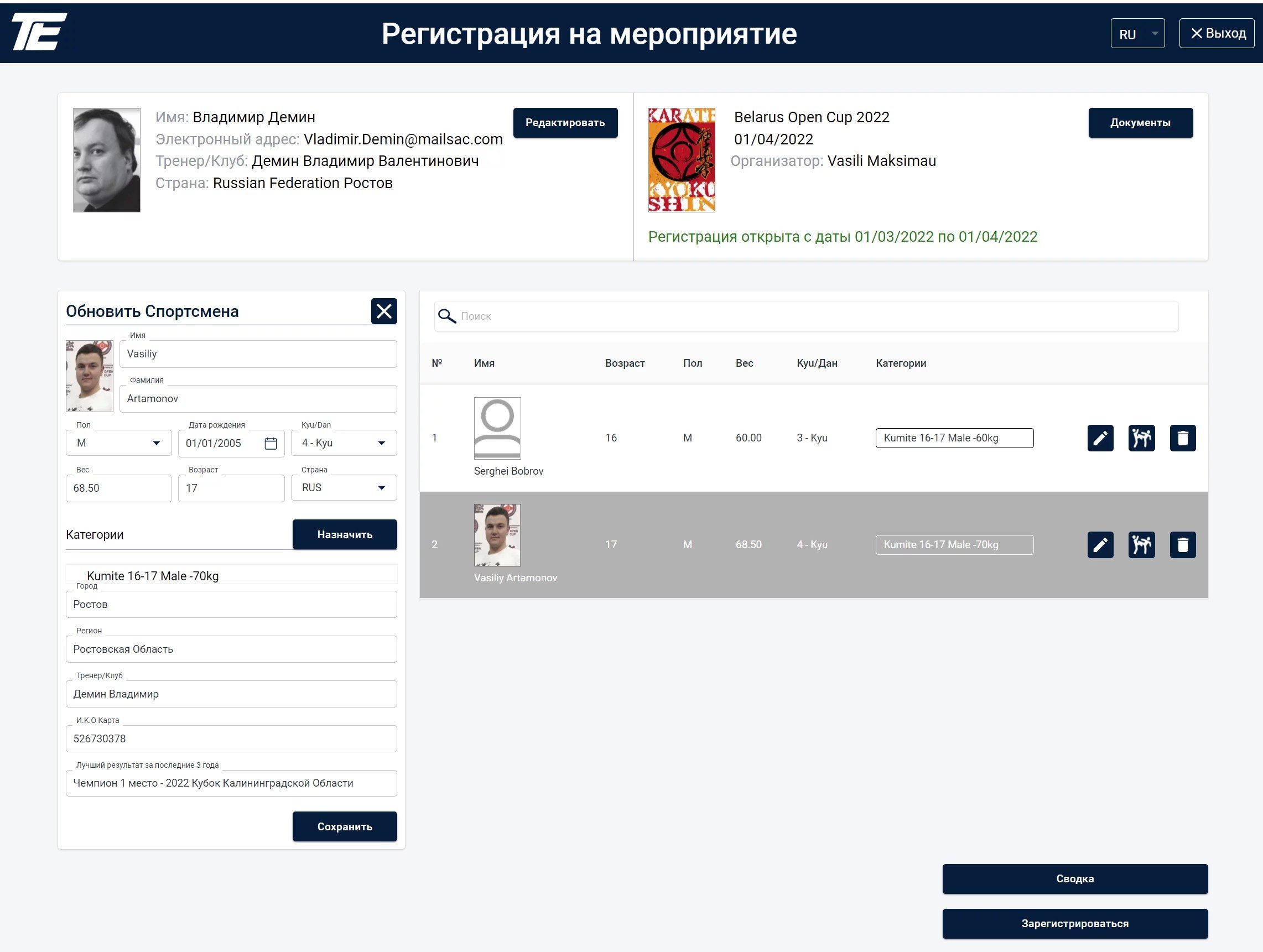
After you have entered the tournament participants into the registration system, your list will be stored, and you will be able to make changes until the moment registration closes.
In the heading at the top of the screen you will be able to see a green note that registration is open and you can make changes. After the registration period expires, a red note will inform you that registration is closed and no changes can be made.
Use the following buttons to manage your list of participants:
The “Pencil” button  is used to edit an athlete.
The “Fight” button  is used to assign, change, or remove categories.
Removing all categories means that the athlete will not take part in the tournament and will not appear in the tournament tables (the “brackets”). In this case the athlete will remain in the list. Later you can assign such an athlete to another tournament or category.
The “Trash can” button  is used if you want to completely remove the athlete from the system. In order to restore them you will have to enter all the information again.
To add a new athlete to the tournament you need to use the input panel with the heading “Add Athlete”
The “Magnifying glass” button  is used to search for an athlete in the list. Specify a first or last name, and the system will help you find the information you need.
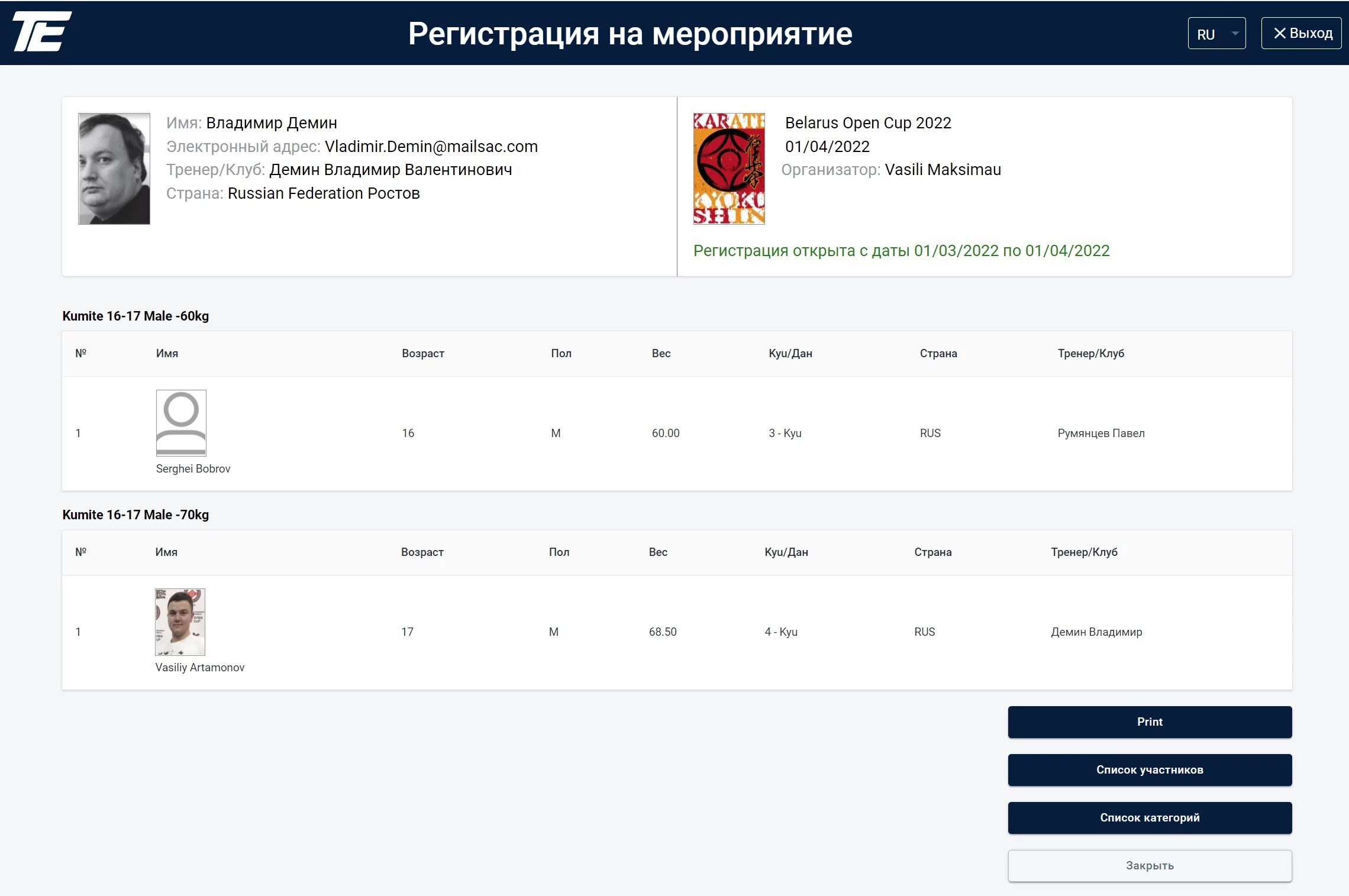
Use the “Summary” button to print and obtain reports in “Excel” format
Use the “Register” button to inform the tournament organizer that you have entered the list of athletes for the tournament.
.svg)